
System · School Setup
Configure the school workspace
Review school profile, branding, academic cycle, master data, and verification settings.
On this page
Review school branding
Open Settings → School Branding to choose a theme preset or review the available colour overrides. Confirm the preview and coordinate changes with the school administrator before saving. The portal's marketing site has its own orange and indigo design; school workspaces use that school's configured colours.
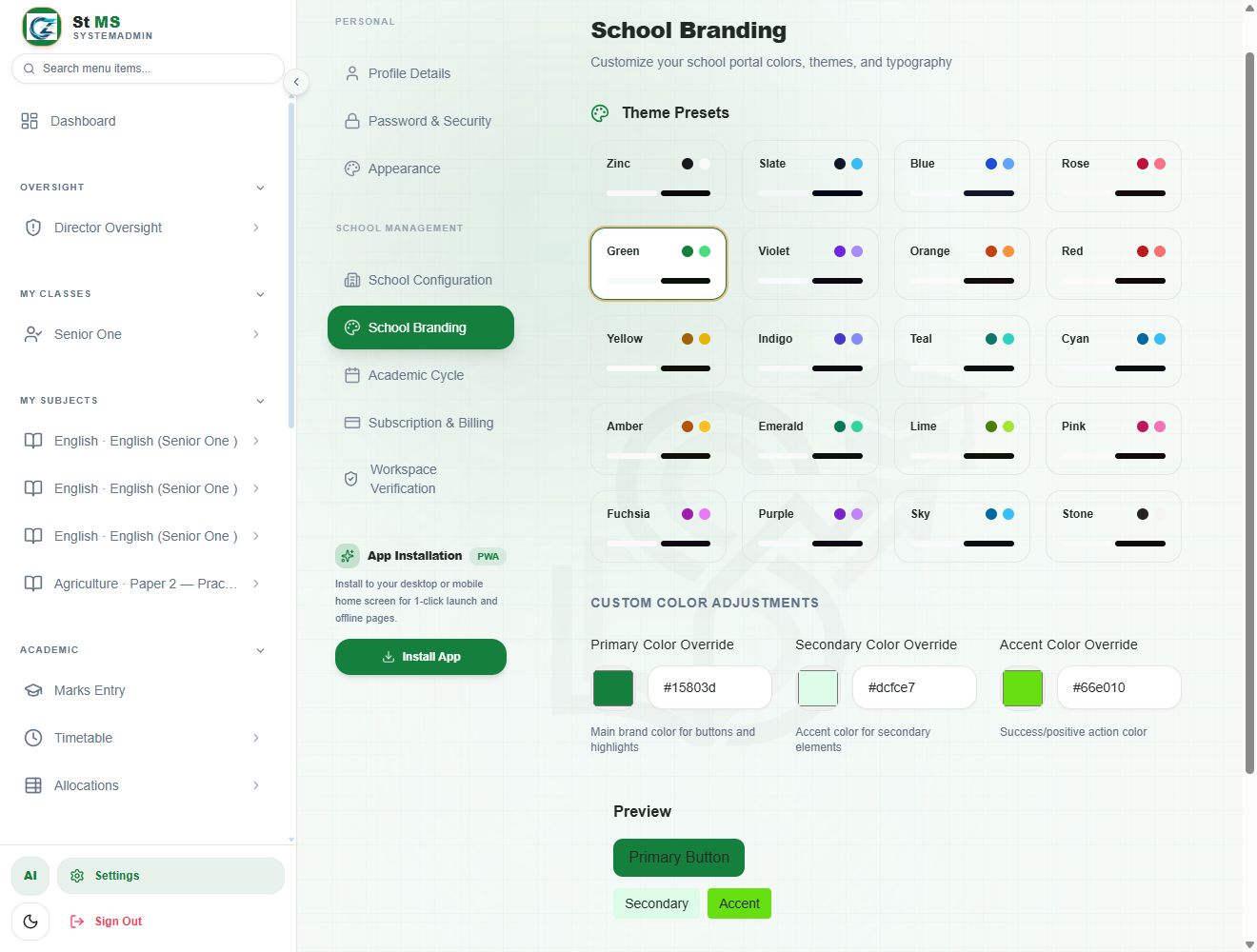 View full screen
Review school and academic settings
School Configuration contains school-level configuration. Academic Cycle controls the active academic period and related settings. Check the current year and term before beginning term-specific work. For promotion or cycle transitions, follow the existing School settings guide and approval process.
Prepare master data
Review master data before registering learners or creating allocations. Existing records may be referenced by other parts of the school workspace.
- Classes: maintain the classes and streams used for student placement.
- Subjects: maintain subjects and paper structure.
- Combinations: maintain available study combinations.
- Departments and roles: maintain school structures and role choices.
- Dormitories and fees: maintain these where the school uses boarding and configured fees.
Review workspace verification
Workspace Verification provides the school's verification workflow where enabled. Review the required documents and current status before uploading or updating information. Share only school-authorised materials and confirm the upload destination before submitting.