Skip to content
School Manager Uganda · Documentation
Main website
Documentation home
  • Academics overview/academics
  • Record details/subjects/[allocationId]
  • Record details · Overview/subjects/[allocationId]/overview
  • Record details · Marks/subjects/[allocationId]/marks
  • Record details · Attendance/subjects/[allocationId]/attendance
  • Record details · Planner/subjects/[allocationId]/planner
  • Record details · Ai Helper/subjects/[allocationId]/ai-helper
  • Guides

    • Classes, subjects, and assessments
      • Prepare academic master data
      • Check assessment configuration
      • Before teachers enter marks
    • Enter student marks
    • Use your class and subject workspaces
    • Review vocational assessments and transcripts
Contact support

Academic · Academics

Classes, subjects, and assessments

Understand the academic setup that student placement, marks, and reports rely on.

On this page
  • Prepare academic master data
  • Check assessment configuration
  • Before teachers enter marks

Prepare academic master data

  1. 1

    Review classes and streams

    In Master Data, confirm the class levels and streams used by your school before assigning learners.

  2. 2

    Review subjects and papers

    Add or check the subjects and any papers needed for your school's curriculum.

  3. 3

    Review teacher allocations

    Use the allocations workspace to associate staff with the correct classes and subjects.

Academic setup should match your school level and curriculum. Check existing records before adding similar classes or subjects.

Check assessment configuration

In Director Oversight → Class Configurations, review the assessment columns used for the selected class. Confirm the intended assessment structure with academic leadership before teachers begin entering marks.
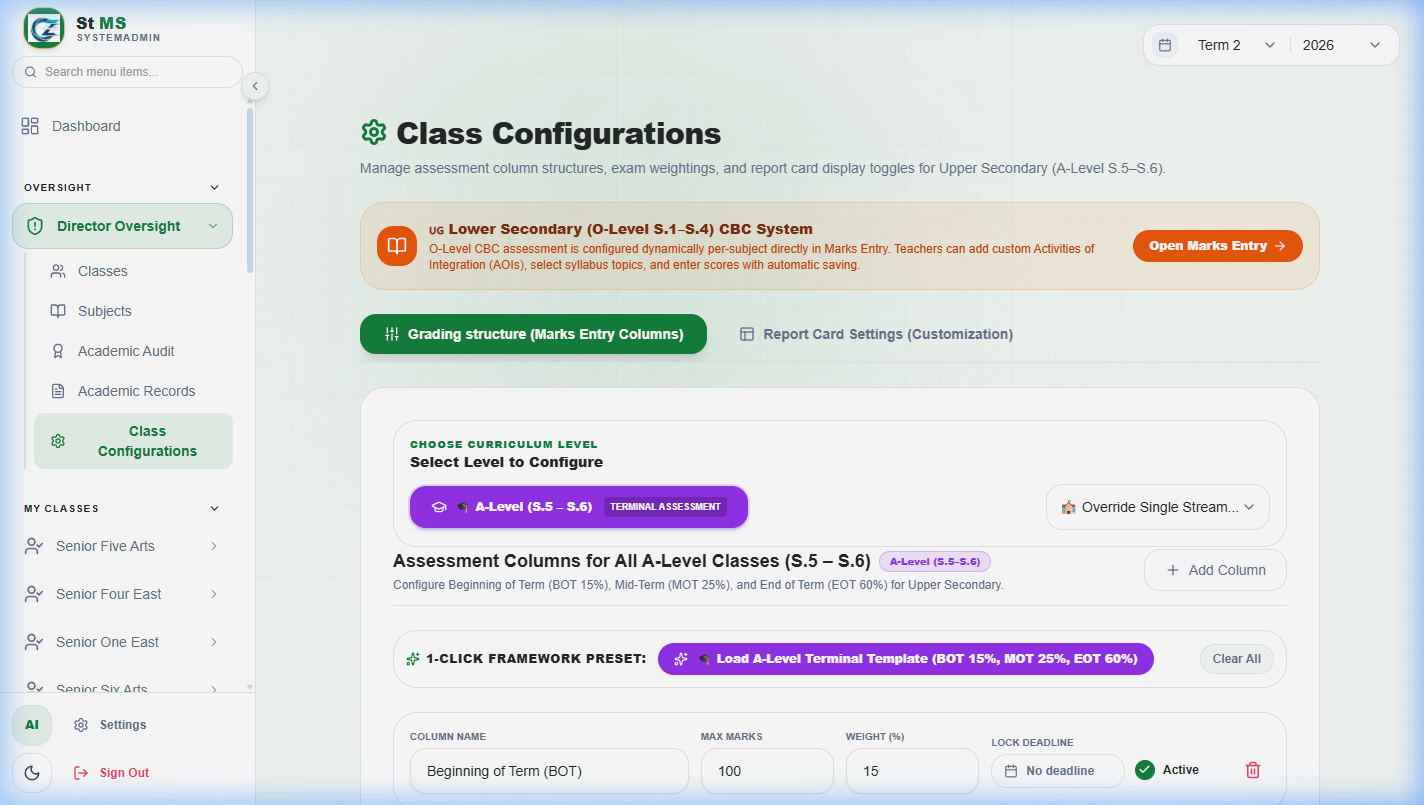
Class configuration screen showing grading and assessment columnsView full screen
Assessment columns define the structure teachers work with. Review the class and assessment settings before changing an active configuration.

Before teachers enter marks

  • Students are registered in the correct class and stream.
  • Subjects and papers match the curriculum being taught.
  • Teachers have the appropriate allocations and permissions.
  • The academic period and assessment configuration have been checked.
Have a question about this guide? Contact our team
PreviousRegister a studentNextEnter student marks
School Manager Uganda · A handbook by Avizon Innovations

On this page

  • Prepare academic master data
  • Check assessment configuration
  • Before teachers enter marks