Skip to content
School Manager Uganda · Documentation
Main website
Documentation home
  • Admissions overview/admissions
  • Registry/admissions/registry
  • Analytics/admissions/analytics
  • Registration/admissions/registration
  • Registration · Id/admissions/registration/id
  • Registration · Record details/admissions/registration/[id]
  • Guides

    • Register a student
      • Start in the student directory
      • Complete registration
      • Check the saved record
Contact support

Admissions · Admissions

Register a student

Create a student record, choose their class, and link a parent or guardian.

On this page
  • Start in the student directory
  • Complete registration
  • Check the saved record

Start in the student directory

Open Students → Directory. Search for the learner first to avoid creating a duplicate. Use class and status filters to narrow the list, then open the registration action for a new learner.
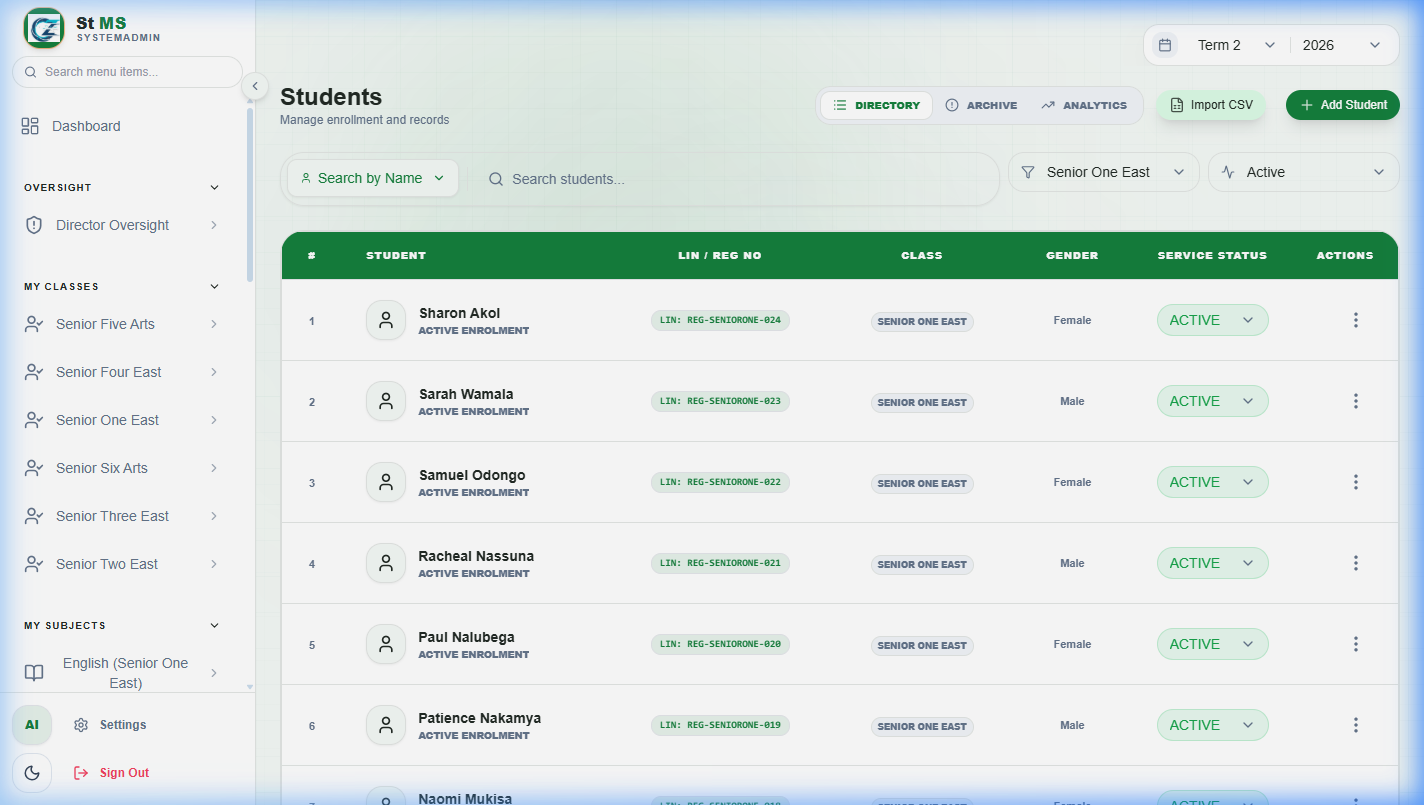
Student directory showing student records and class filtersView full screen
The directory is where you find existing students and begin registration. Check a learner's name and class before opening or adding a record.

Complete registration

  1. 1

    Enter the student's identity

    Fill in the first and last names, gender, date of birth, and the learner or registration identifiers available to your school. Follow the required-field messages.

  2. 2

    Choose the academic placement

    Select the correct class and complete any additional placement fields shown for that class.

  3. 3

    Add a photo if available

    Use Upload or Camera, then confirm the crop before saving the image.

  4. 4

    Link the guardian

    Search under Existing to select a parent already in the system, or use Create New. Check the contact details carefully.

  5. 5

    Review and save

    Check the identity, class, account status, and guardian details, then select Complete Registration. Resolve any validation messages.
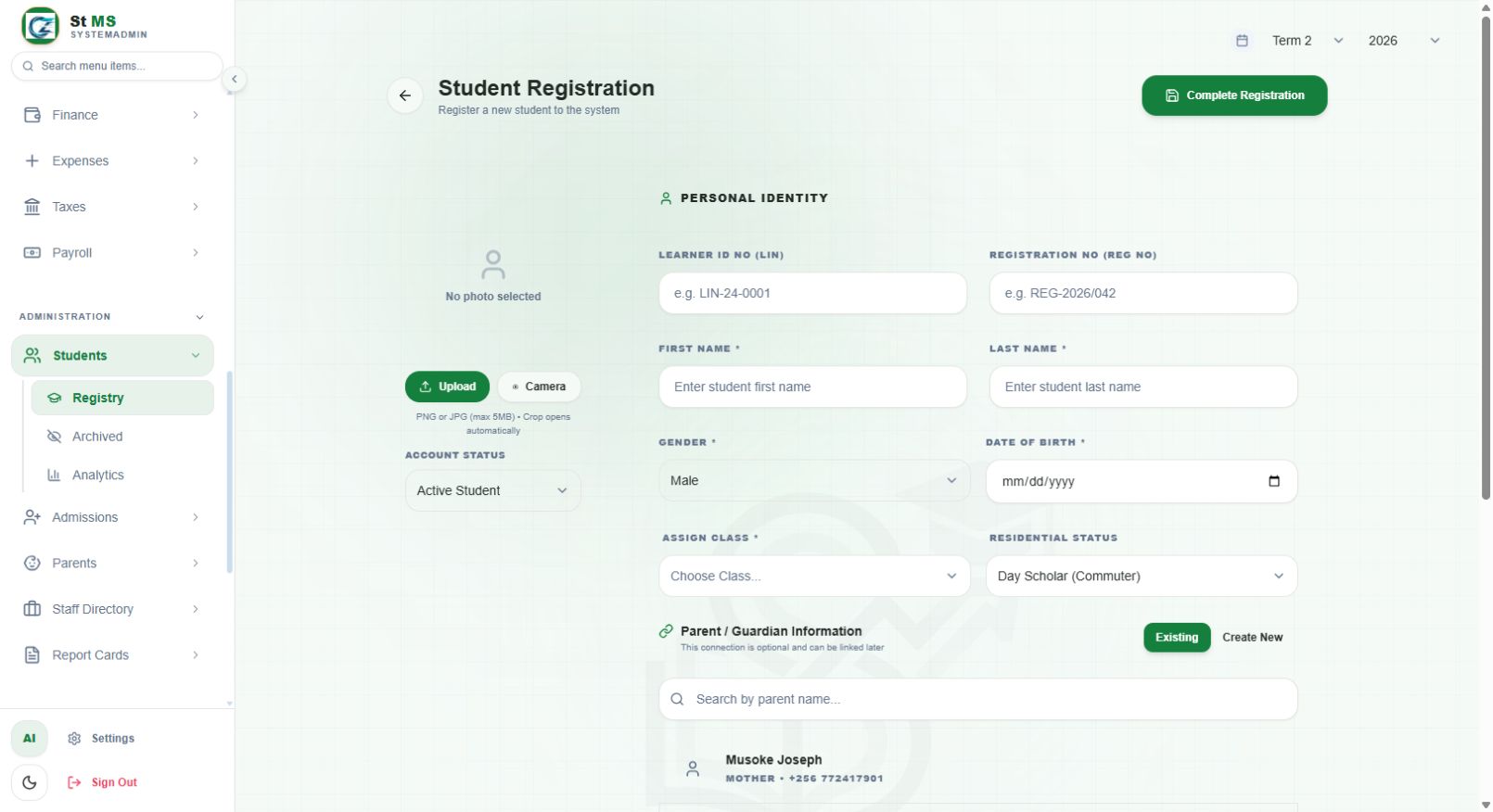
Student Registration form with identity, class, photo, and guardian controlsView full screen
The registration screen separates the student's photo and status from personal identity and guardian information. Complete Registration saves the record.

Check the saved record

Return to the directory and search for the student. Open their details and confirm their name, class, and linked guardian. Correct an existing record instead of registering the same learner again.

Guardian linking can be completed later when the form permits it. Do not create a second parent record for each sibling; search for the existing guardian.

Have a question about this guide? Contact our team
PreviousCommon questionsNextClasses, subjects, and assessments
School Manager Uganda · A handbook by Avizon Innovations

On this page

  • Start in the student directory
  • Complete registration
  • Check the saved record