
Administration · Reports
Prepare student report cards
Check readiness, choose the reporting period, and review the generated report before printing.
Check readiness first
- Confirm the correct student placement and subject enrolment.
- Review marks, assessment configuration, and required remarks.
- Confirm the term and year with academic leadership.
Open the report generator
Open Reports → Print & Generate. Select the class, stream, period, and available report options that match the intended report. Review the selected learners before generating output.
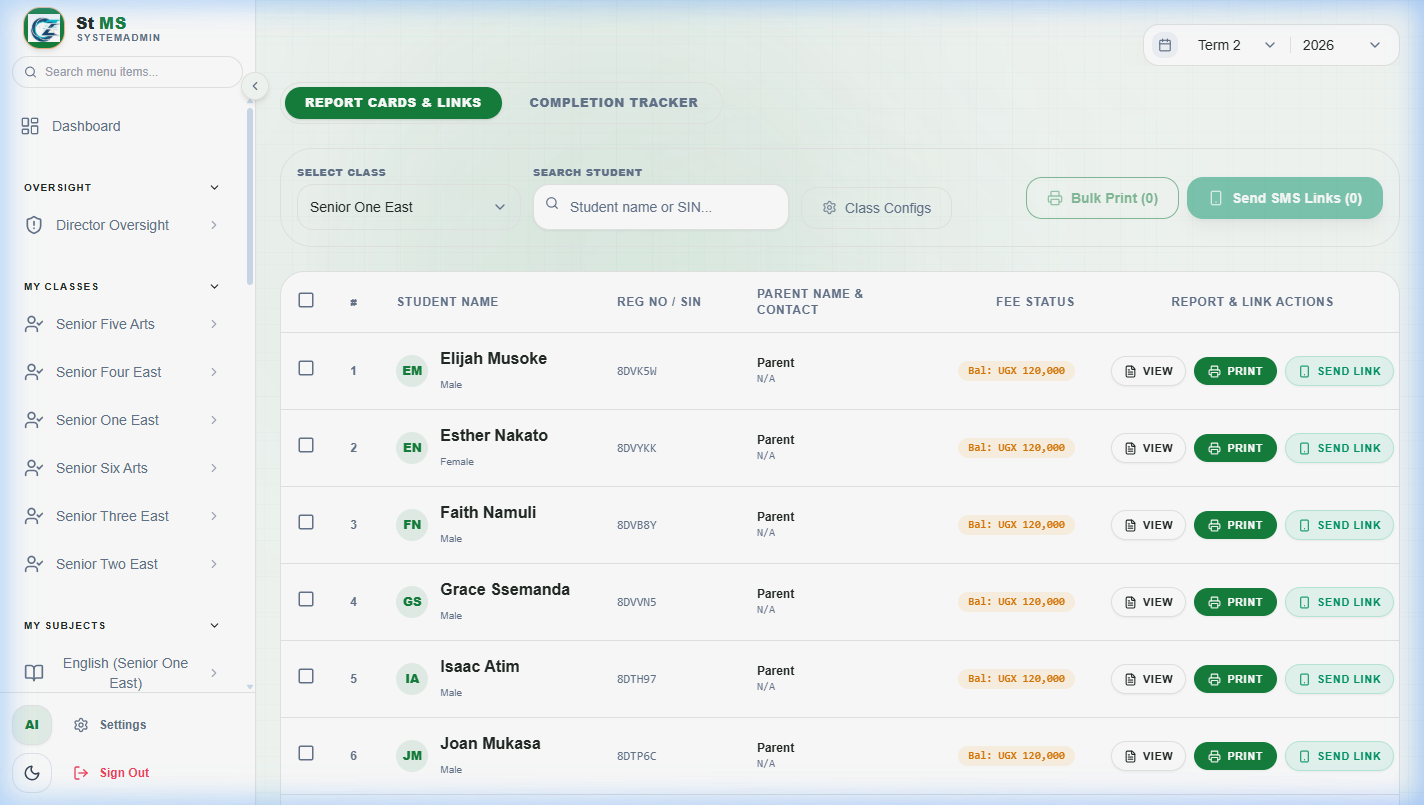 View full screen
Review the preview
Open a sample report and check the school identity, student name, class, term, subjects, results, and remarks. If something is wrong, correct the source records and generate the report again before printing or sharing.
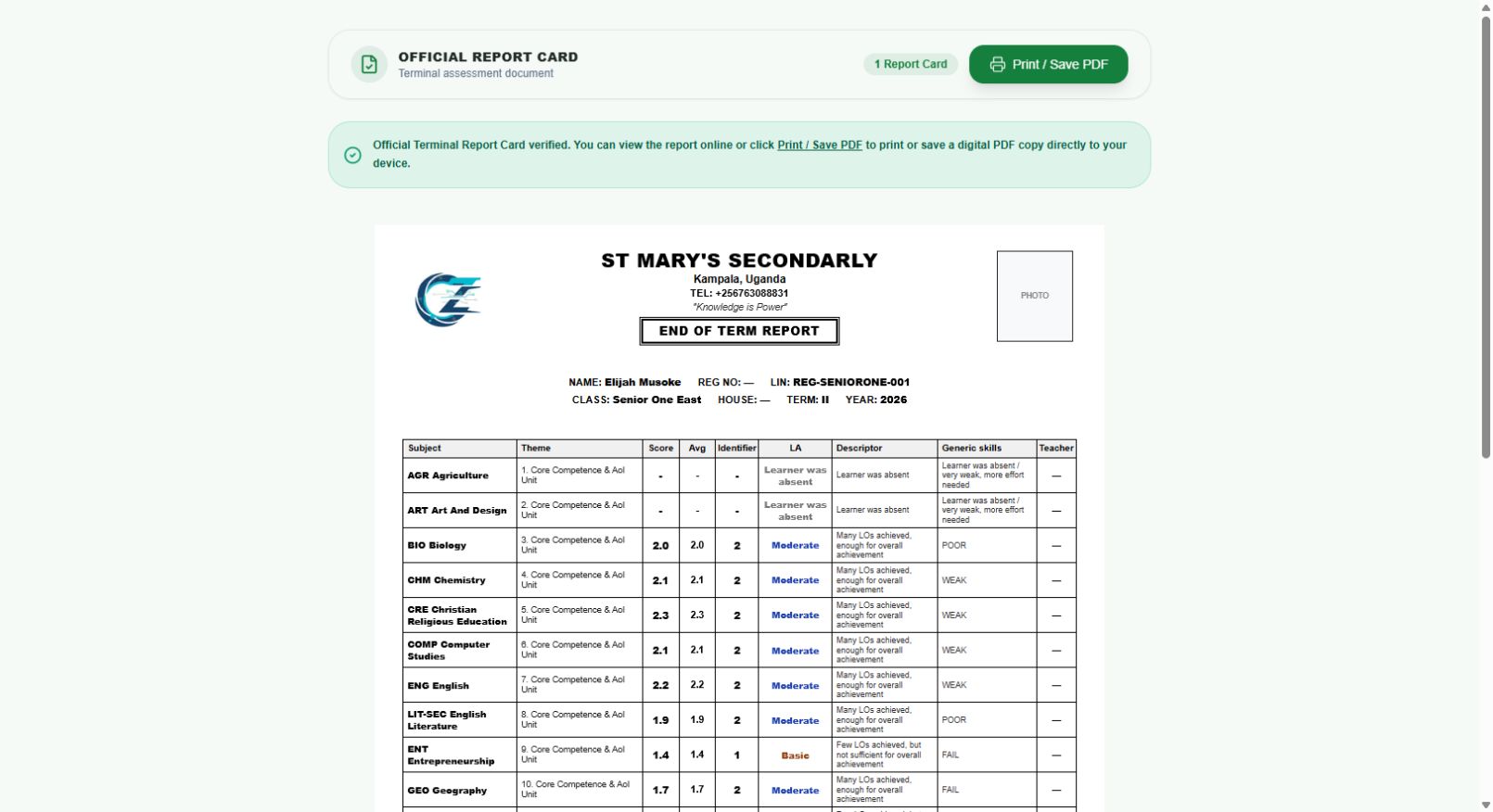 View full screen